

How to Digitize Artwork for Prints
A print can only be as faithful as the file behind it. Careful capture, honest color, and a protected master keep an original from being lost in translation.
Key Takeaways
- Choose capture by the work: a flatbed scanner for flat, flexible pieces no larger than the bed, and a camera for canvases, framed, textured, oversize, or delicate work.
- Photograph square-on with the camera parallel and centered, using two matched lights at roughly forty-five degrees and other room light turned off to control glare.
- Check color against the original in neutral daylight, set white balance for the light in use, and correct overall drift rather than applying heavy per-color edits or filters.
- Inspect at full magnification and print a modest proof of the darkest, finest section before a full-size run, while the setup is still in place to reshoot.
- Keep one lossless master, such as a raw file or TIFF, edit only copies, and store clearly named masters in two places so the work does not need digitizing again.
Every print of an original artwork begins as an act of translation: a painting, drawing, watercolor, or a child’s masterpiece from the refrigerator door has to become a digital file before any printer can touch it. How to digitize artwork for prints is the translation that decides the ceiling of everything that follows. A careless capture bakes glare, skew, and dull color into every print forever; a careful one produces a file that can serve for years — gifts for family, a portfolio, an edition of prints. The good news is that careful capture is a method, not a talent, and most of it can be done at home with equipment already in the house. Once the file exists, what happens between upload and wall is its own guide, for canvas prints in particular.
Handle the original like the original
Capture day is also the day an original is most at risk, because it is out of its frame, off its wall, and being moved. Handle paper with clean, dry hands — or cotton gloves for photographic and glossy surfaces — and always support a sheet from beneath with both hands or a rigid board rather than lifting a corner. Never force a curled or brittle piece flat for the scanner; gentle weight at the edges, or photographing it as it lies, digitizes the work without injuring it. Varnished and delicate surfaces should not be cleaned, dusted with anything abrasive, or treated in any way before capture on the theory that it will photograph better. What you see is what you are faithfully recording — including, sometimes, the honorable evidence of age.
How to digitize artwork for prints: scan or photograph?
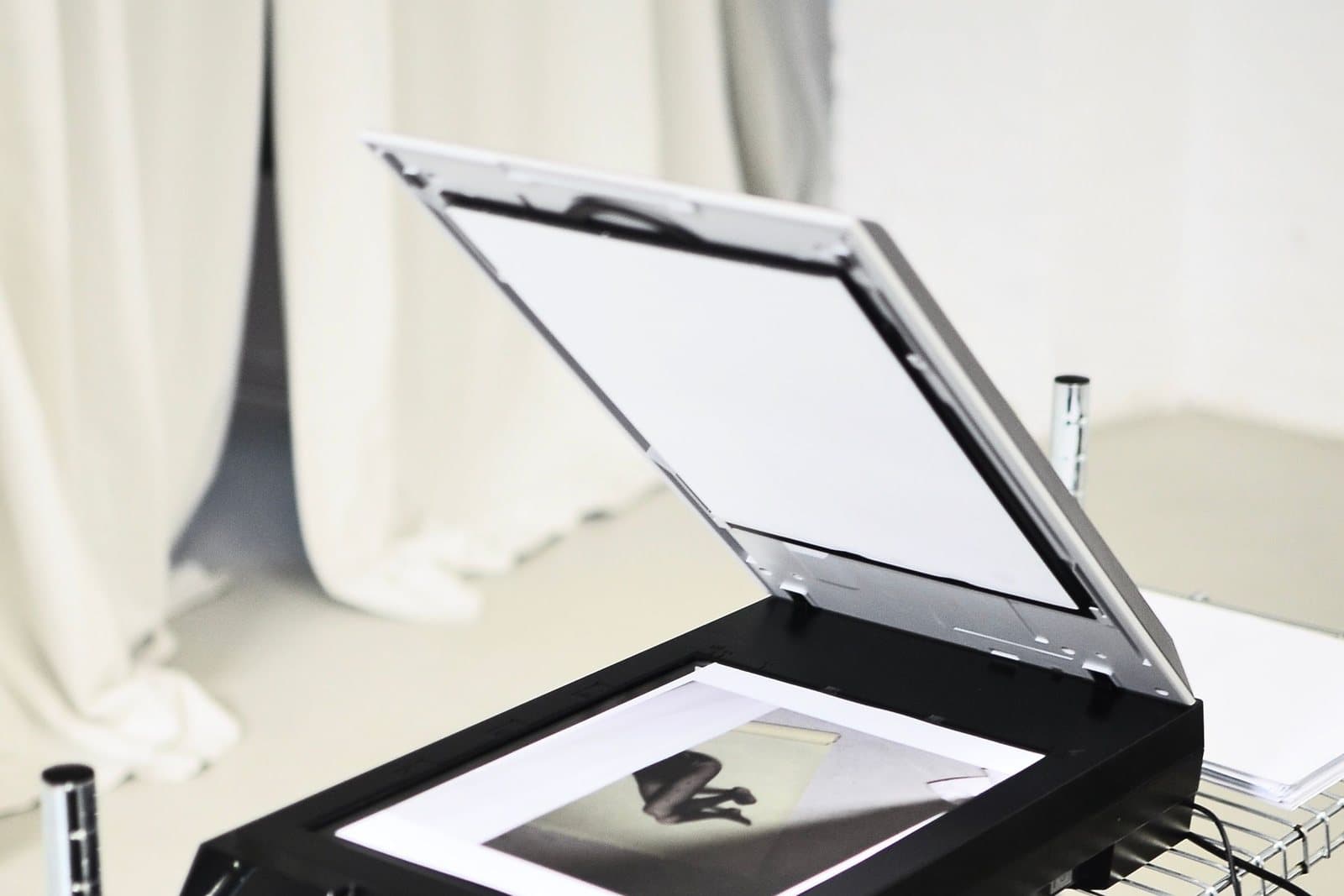
A flatbed scanner is the right tool for work that is flat, flexible, and no larger than the scanner bed: drawings, watercolors on paper, prints, documents, and children’s art. A scanner lights evenly, stays perfectly parallel, and captures fine detail without any of the geometry problems a camera introduces. Oversize flat work can be scanned in overlapping sections and stitched together by software, though that asks patience and precision at the seams.
A camera is the right tool for everything else: canvases, framed pieces, textured or impasto surfaces, and anything too large or too delicate to press against glass. A camera also respects the surface — heavy texture reads as texture rather than being flattened by a scanner lid. Studios and print shops offer capture as a service with dedicated lighting and large scanners, and for a valuable original or a planned edition, that professional capture is a legitimate cost of doing the work justice. Whichever route you choose, the principles below are the ones that decide quality.
One more scanner habit is worth naming, because it quietly ruins otherwise good captures: scan at the size you mean to keep, not the size of today’s print. A scan made for one modest print locks the work’s future at that scale, and the original then has to come out of its frame again for every larger idea. A single generous capture — the largest the project justifies — costs a few extra minutes of scanning time and a little storage, and it is the difference between digitizing the work once and digitizing it forever — because how many pixels a print actually needs depends on the finished size and viewing distance, not on the original’s inches alone.
Photographing an original without lying about it
Set the artwork vertical and the camera square to it — sensor parallel to the surface, centered on the middle of the piece. Even a small angle introduces keystoning, where one edge of the work becomes measurably shorter than the other, and correcting it later costs the corners of the image. Fill the frame as fully as the lens allows without cropping the work itself, and use the camera’s timer or a remote release so your hand is not shaking the shot at the moment of capture.
Light is where most home captures fail. The method that works: two matched lights, one on each side, aimed at the artwork at roughly forty-five degrees, equal in distance and brightness. That geometry pushes reflections away from the camera and evens the illumination across the surface. Turn off the room’s other lights and cover bright windows, so nothing competes or casts a color. Glossy and varnished surfaces are the hardest — if glare persists, adjust the lights’ angle a few degrees at a time rather than moving the camera, and check the corners of the frame, where reflections gather first.
Color: checking against the original
A capture is only faithful if its color is, and screens are optimists — they will show you a livelier version of your file than any print will hold. Work from the original outward. Set the camera’s white balance for the light you are actually using rather than leaving it on automatic, which guesses differently frame to frame. If your tools allow it, include a neutral gray card or a color reference in one test frame, then remove it for the real capture; matching that known neutral later anchors every other color in the file.
Then compare, honestly: hold the original beside the screen in neutral daylight and look for the systematic errors — the blues that drifted purple, the warm whites that went gray, the reds that oversaturated. Correct the drift at the level of the whole image. Resist per-color heroics and heavy filters; the goal of digitizing is fidelity, and every creative reinterpretation belongs to a separate, deliberate editing step on a copy — never to the master capture itself.
How to digitize artwork for prints: inspect the capture
A capture is not done when the shutter closes. Review it at full magnification, systematically: each corner for focus and stray reflections, the edges for skew — a ruled line or the work’s own border should run parallel to the frame — and the most detailed passage of the artwork against the original itself. Softness that hides at screen size declares itself at full size, and it is far cheaper to re-shoot a corner today, with the rig still standing, than to discover it in a finished print next month.
Finish with a small test: print one modest proof of the most demanding section — the darkest shadows, the finest lines — before any full-size edition. Proofs are where capture errors go to be caught. If the proof matches the original’s color and holds its detail, the master file has earned its name; if not, the lighting and color steps above are where the fix lives, not in heavier editing.
File habits that keep detail intact
Capture once, at the highest quality the equipment offers, and then protect that file like the negative it is. Keep a master in a lossless form — the camera’s raw file if it offers one, or a TIFF — and do all editing on copies, saving print files from the master rather than re-saving a JPEG again and again, since every lossy re-save sands a little more detail off the work. Capture more detail than the first print needs: the file that seems oversized today is the one that permits a larger print, a detail crop, or a gift edition tomorrow.
Name files so your future self can find them — the work’s title, the word master or print, and the date beat a folder of numbered mysteries — and keep the masters in two places, one of them not in the same building as the original if you can manage it. It takes ten minutes and it is the difference between a one-off print and a permanent digital edition of the work.
What the file is for
Digitizing earns its effort in what it makes possible. A grandparent’s watercolor becomes a print for every grandchild, with the original kept safely out of sunlight. A child’s best drawing becomes a gift that outlasts the paper. And for artists, a faithful master file is the foundation of selling prints of your own work — the line between an original and its editions is exactly the quality of this capture, which is why the makers we hope to serve through our trade program treat it as part of the artwork itself. Artists selling editions will also meet the term giclee, and our explainer on what giclee printing actually guarantees separates what it promises from what it does not. The process questions readers ask most are gathered in our FAQ; and when custom printing opens here, that standard for how to digitize artwork for prints is the one we will ask of every file — including our own.
More in Custom Photo & Gifting



Continue exploring: Custom Photo & Gifting guides · All guides